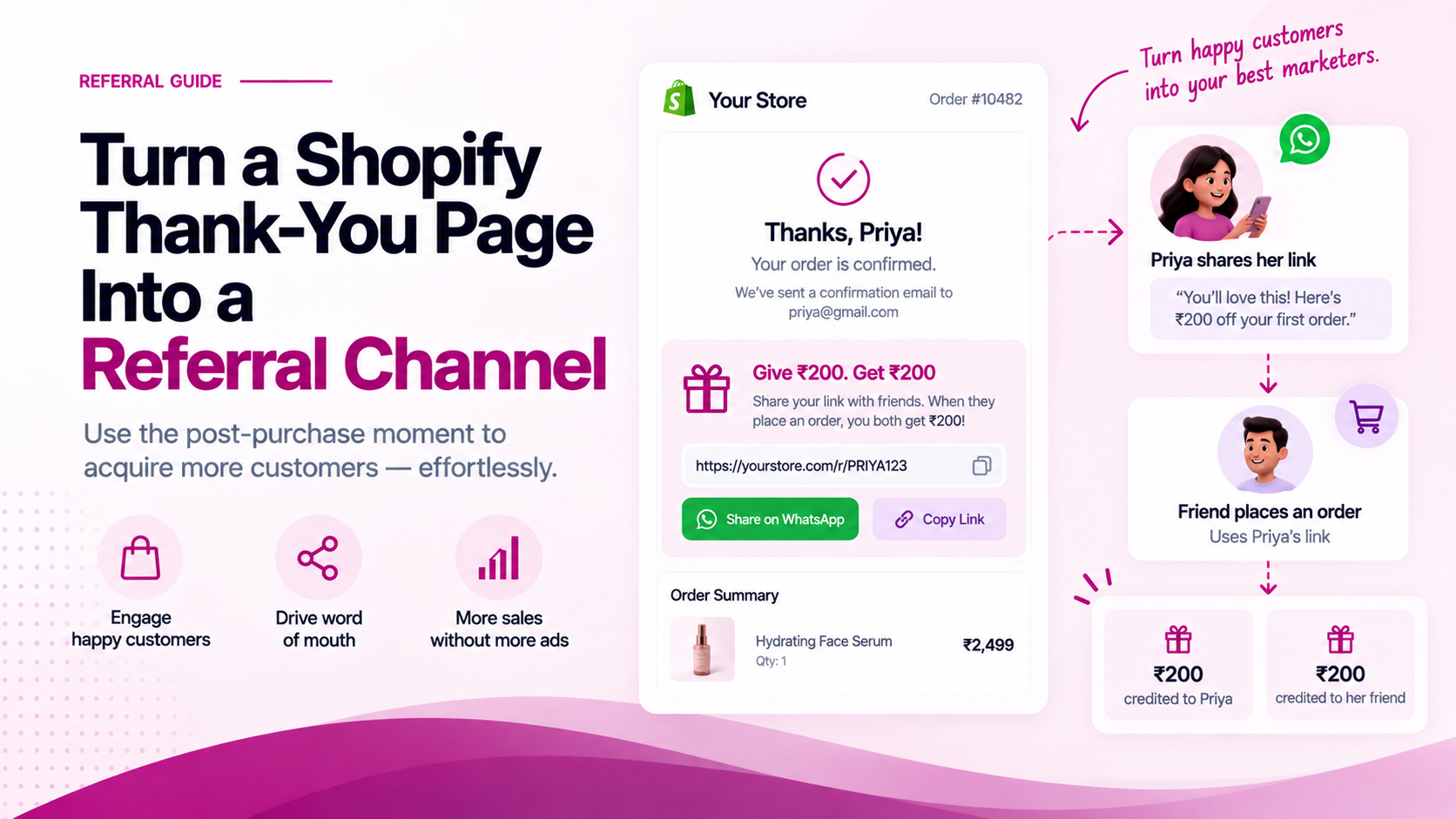
The thank-you page is one of the rare moments when a customer has just completed the action you wanted.
They bought. The purchase decision is resolved. There is no cart abandonment risk, no payment anxiety, no comparison shopping happening.
For referral programmes, this can be a valuable placement — because the customer has immediate context about the product and a natural moment of satisfaction.
Don't Interrupt the Confirmation
The first job of the thank-you page is still:
"Your order is confirmed."
The customer needs to see:
- Order status and confirmation number
- Product and order summary
- Next steps (delivery timeline, tracking)
- Support information if they need help
Only once those elements are clearly present should the referral widget appear. Placing the referral ask before the confirmation creates friction at the most sensitive moment in the purchase journey.
Make the Referral Offer Simple
A clear post-purchase referral structure:
Refer a friend
Your friend gets [offer]
You get [reward]
[Share on WhatsApp]
The customer should not need to read terms, click through to a separate page, or understand a points system before they can share. The entire decision should be possible in under ten seconds.
Reduce the Number of Actions Required
The more steps between the customer's intent to share and the completed share, the lower the share rate will be.
A good referral placement on the thank-you page avoids:
- Copying and pasting codes — the link should be pre-generated and shareable directly
- Opening a separate portal — the action should happen in place, not require a login to a rewards hub
- Typing a friend's email — if the sharing mechanism requires manual entry, most customers will not complete it
- Reading lengthy reward terms — keep the offer to one or two lines
Referbro's referral product uses unique pre-generated links and one-tap WhatsApp sharing, with the referred-friend discount auto-applied at checkout. That is the type of friction reduction the thank-you page placement needs to work effectively.
Use Post-Purchase Psychology Carefully
The customer has just purchased. That is a moment of engagement — but it does not automatically mean they are ready to recommend.
The strongest referral timing depends on the product:
| Product category | Recommended placement |
|---|---|
| Impulse or low-consideration purchases | Post-purchase thank-you page may work well |
| Considered or high-involvement purchases | Post-delivery may be stronger — after the product experience |
| Subscription or replenishment | After first use or first renewal |
Test both post-purchase and post-delivery. The thank-you page is one placement — not necessarily the only or the best one for every category.
Measure the Placement Specifically
Track the thank-you page referral widget separately from other referral touchpoints:
| Metric | What it measures |
|---|---|
| Widget views | How many customers saw the referral ask? |
| Shares | How many clicked the share button? |
| Share-to-click rate | Of those who shared, how many generated clicks? |
| Referred orders | How many qualifying orders came through this placement? |
| Referral CAC from this placement | Cost per acquisition via thank-you-page referrals |
The thank-you page is not successful because it has a referral widget. It is successful if it produces incremental customers without reducing the quality of the primary post-purchase experience.
Related Articles
- Designing a Seamless Referral UX for Your Shopify Store
- A Step-by-Step Guide to Launching Your First Referral Campaign
- Measuring the True Impact of Customer Referrals
Learn more about Referbro Referral | Install Referbro on Shopify