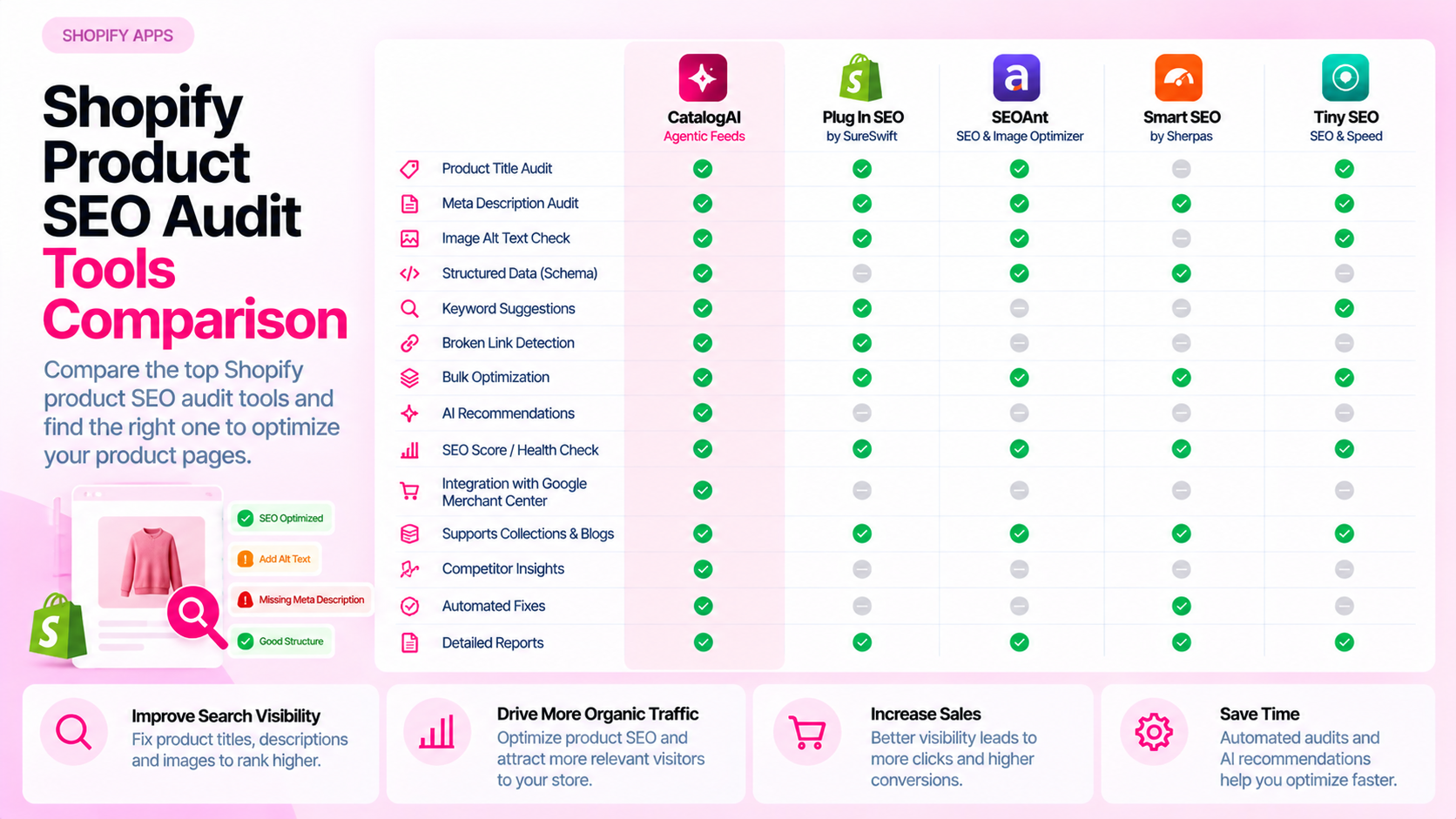
Quick Answer: How Do You Choose a Shopify Product SEO Audit Tool?
Compare the checks it supports, catalog coverage, live-page validation, issue prioritization, export or reporting options, Shopify workflow integration, monitoring cadence, pricing, and how easily you can verify that fixes are actually live. A long feature list is not a substitute for evaluating whether the tool solves your specific problems.
Start With the Problems You Need to Solve
Before comparing tools, define what you're actually trying to audit. Product SEO problems fall into distinct categories that different tools address differently:
| Problem category | What it involves |
|---|---|
| Catalog completeness | Missing fields: titles, descriptions, attributes, alt text, metadata |
| On-page metadata | Meta titles, meta descriptions, heading structure |
| Structured data | Missing or broken Product JSON-LD schema |
| Crawlability and indexing | Canonical tags, robots directives, status codes, internal links |
| Variant handling | Duplicate URLs, incorrect canonicals on variant pages |
| Feed eligibility | Fields required by Google Merchant Center or Meta Catalog |
One tool may cover three of these categories deeply; another may touch all six superficially. Match the tool to the problems that are costing you the most, not to the longest feature list.
Compare Coverage and Sampling
This is the most important question and the most underexplored one:
- Does it check every product or a sample? A tool that samples 10% of your 3,000-product catalog may miss patterns that only appear in specific collections.
- How are variants handled? Does it check each variant's page, or only the parent product?
- What is the scope limit? Some tools have product caps at the pricing tier you're evaluating. Verify against your actual catalog size.
- Is it live-page validation or Admin-only? Checking Shopify Admin fields is not the same as checking what renders on the live storefront. A theme might render an empty title tag even when Shopify Admin shows a title — a live-page check catches this; an Admin-only check doesn't.
Ask the vendor directly. Verify coverage claims in a trial if possible.
Compare Reporting and Remediation
Good audit output tells you what to do, not just what's wrong:
- Issue-level examples: For each problem type, can you see a list of affected product URLs?
- Severity explanations: Does the tool explain why an issue matters and at what priority?
- Ownership support: Can you assign issues to specific team members or export to a task tracker?
- Export options: Can you download a list of affected products for bulk fixing in Shopify's bulk editor or CSV import?
- Fix verification: After you correct an issue, can you re-scan to confirm it's resolved?
A report that lists 400 problems with no severity ranking and no way to export actionable items creates more work than it saves.
Check Workflow and Integration
The tool needs to fit into how your team actually works:
- Shopify connection: Does it use the Admin API directly, or require a CSV export? Direct integration is more reliable for ongoing monitoring.
- Theme changes required: Some audit tools require a code snippet to be added to your theme. This adds deployment complexity and a dependency on your development team.
- Access control: Can multiple team members access reports with appropriate permissions, or is it a single-user tool?
- Issue routing: Can issues be filtered by product type, collection, or severity so the right person sees the relevant findings?
- Monitoring vs. one-time audit: Does the tool support ongoing scheduled scans, or is it a run-once analysis?
Verify all integration claims with a trial run. Integration behavior often differs from what's described in marketing materials.
Evaluate Cost and Operational Fit
Tool cost should be evaluated against the cost of the problems it helps you avoid:
- Pricing structure: Per-product, per-scan, flat monthly? Make sure the pricing tier covers your catalog size and desired scan frequency.
- Incremental value: What is the cost of staff time currently spent finding and fixing catalog issues? Does the tool reduce that time meaningfully?
- Trial availability: Can you run the tool against your actual catalog before committing? Benchmark output is less useful than seeing your own catalog's issues.
Don't select a tool solely on its feature count or price. A cheaper tool that actually fits your workflow is more valuable than a comprehensive tool your team doesn't use.
Frequently Asked Questions
Is one Shopify SEO audit tool enough? It depends on the scope of issues you're managing. Catalog completeness tools, site crawlers, and structured data validators serve overlapping but different purposes. Many teams use one primary catalog tool and a secondary crawler for site-level issues.
Should a tool audit every product in the catalog? Ideally, yes — at least for the field checks it covers. Sampling may be acceptable for a first-pass audit of a large catalog, but ongoing monitoring should aim for full coverage of active products.
What matters more: reports or fixes? Both. A report that accurately identifies issues is the starting point. But the real value is in being able to act on findings, verify corrections, and track resolution over time. Evaluate how the tool supports the full workflow from detection to confirmed fix.
Related Articles
- Manual Shopify Catalog Audits vs Automated Audits: Cost, Coverage and Accuracy
- Shopify SEO Apps vs Technical SEO Auditing Tools: What's the Difference?
- How to Audit 1,000 Shopify Product Pages Without Checking Them Manually