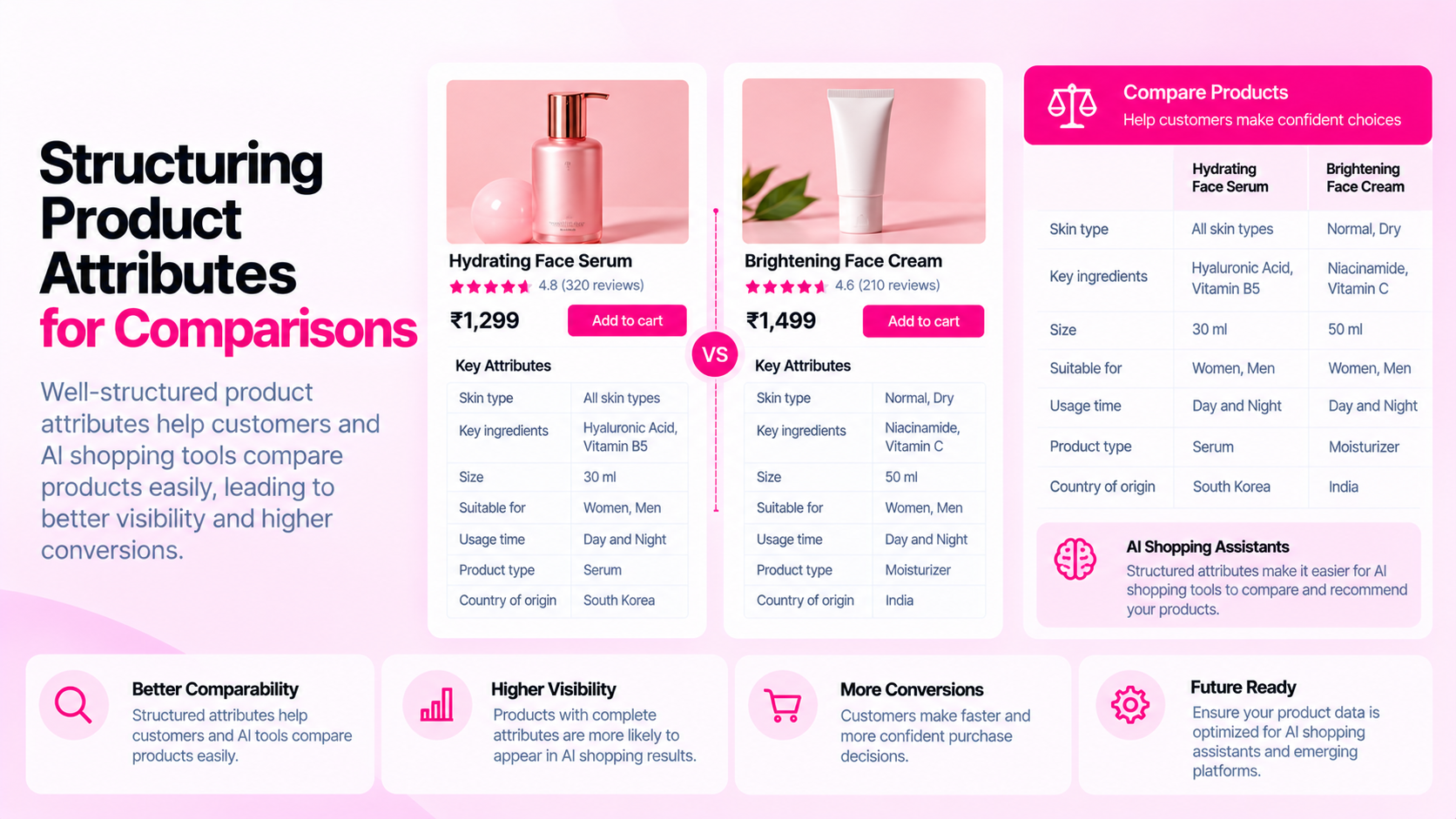
Quick Answer: How Should Product Attributes Be Structured?
Define attributes by product category, use consistent data types and units, populate values accurately, and display important information clearly on product pages. Comparable products should use compatible fields where those fields are relevant. Inconsistency across similar products — not just missing values — is the root cause of most comparison failures.
Why Attribute Consistency Matters
Consider a shopper comparing three running shoes in your store:
- Shoe A: weight listed as "280g (per shoe)" in the product description
- Shoe B: weight listed as "11.5 oz (per pair)" in a metafield
- Shoe C: no weight listed at all
The shopper cannot compare these products on a meaningful basis. Neither can a filtering tool, a feed, or an AI shopping assistant. The problem isn't that values are missing — it's that the values that exist use incompatible formats and units.
This pattern repeats across apparel (sizing scales), beauty (volume units and ingredient formats), electronics (compatibility formats), and home goods (dimension ordering and units). The fix is not just populating missing fields — it's defining what "populated correctly" means.
Start With Category-Specific Attributes
Different product categories require different attributes. Don't apply a single universal attribute set to your entire catalog:
| Category | Key attributes to define |
|---|---|
| Apparel | Size scale, fit type, materials (%, fiber name), care instructions |
| Footwear | Size scale (EU/UK/US), width, weight, heel height |
| Beauty & skincare | Volume (ml/oz), key ingredients, skin type suitability, SPF if relevant |
| Electronics & accessories | Compatibility (device model or OS), dimensions, power requirements |
| Home goods | Dimensions (H × W × D, consistent unit), weight, material |
| Food & supplements | Volume or weight, serving size, key ingredients, dietary certifications |
For each category, define a minimum required attribute set and a recommended set. Products missing required attributes should be flagged and corrected before going live.
Choose Stable Types and Units
Once you've defined attributes, choose a consistent format for each:
Units:
- Pick one unit per attribute and apply it consistently. Don't mix cm and inches for dimensions unless you're deliberately showing both.
- Document the unit in your attribute definition so future team members don't have to guess.
Data types:
- Use numeric fields for measurements — not text strings like "approx. 25cm" or "about 10 inches"
- Use controlled vocabulary (a defined list of allowed values) for categorical attributes like "Material: [Cotton | Linen | Polyester | Blend]"
- Avoid free-text fields for attributes that should be structured — text allows inconsistency to creep in
Scale and precision:
- Dimensions: use a consistent number of decimal places (e.g., always one decimal: 12.5cm, not 12.54cm and 12cm mixed together)
- Weight: define whether you're measuring per item or per pair or per set, and state this consistently
Store and Display Attributes Intentionally
Having structured attributes in your data doesn't help shoppers unless those attributes are visible on product pages.
| Storage location | Best for | Limitation |
|---|---|---|
| Shopify product fields (title, description, vendor) | Standard information shown by default theme templates | Limited schema; not filterable natively |
| Metafields | Structured attributes, filterable in collections, reusable in feeds | Requires theme or app to render on storefront |
| Description body | Explanatory text, context, narrative | Not filterable or machine-parseable without parsing |
| Variant options | Size, color, material when these define distinct purchase options | Limited to 3 option types per product |
| JSON-LD structured data | Machine-readable representation for search and AI systems | Not visible to shoppers; requires implementation |
Decide which attributes need to be visible to shoppers (all of them), which need to be filterable in collections (category-specific key attributes), and which need to be in structured data or feeds (attributes required by downstream destinations). These are not mutually exclusive — an attribute may need to appear in all four places.
Audit Missing and Conflicting Values
After defining your attribute structure, audit your current catalog against it:
- Missing values: Products in a category that don't have required attributes populated
- Conflicting values: Products where the same attribute appears in multiple places with different values (description body says "cotton blend", metafield says "100% cotton")
- Inconsistent format: Products with the same attribute in different units or formats
- Orphaned attributes: Attributes populated on some products in a category but not defined as part of the category schema
Before making bulk corrections, validate a sample against authoritative product information — the manufacturer's spec sheet or your supplier's data. Bulk corrections applied to wrong data multiply the original error.
Frequently Asked Questions
Should every category share the same attributes? No. Forcing universal attributes across all product types creates noise — an "SPF rating" attribute on a leather wallet is meaningless. Define attributes per category and apply only the relevant set.
Are metafields automatically visible to shoppers? No. Metafields are stored in Shopify but require explicit theme code or an app to render them on the storefront. Setting a metafield value in the Admin does not guarantee it appears on the product page. Verify rendering on the live storefront.
Do structured attributes guarantee AI recommendations or comparisons? No. Structured, accurate data can make products easier for systems to interpret, but inclusion in AI recommendations, comparison engines, or shopping results depends on many other factors — crawlability, policies, relevance signals, and the specific system's methodology.
What's a practical first step for an existing catalog? Pick one product category and define its required attributes. Audit that category in the current catalog. Fix the missing and conflicting values. Document the standard. Then repeat for the next category. Don't try to define the attribute schema for the entire catalog at once.
Related Articles
- Why AI Shopping Tools May Misinterpret Incomplete Product Specifications
- Shopify Metafields vs Product Descriptions: Where Should Product Specifications Live?
- Shopify Product Data Quality: 12 Errors That Accumulate as Your Catalog Grows