Quick Answer: Should Product Specifications Live in Metafields or Descriptions?
Use product descriptions for customer-facing narrative and context. Use standard fields and metafields for structured attributes that need consistent storage, filtering, or reuse. Display important specifications clearly on the storefront where customers need them. Structured data (JSON-LD) is a separate representation and should not be confused with metafields.
What Shopify Metafields Are
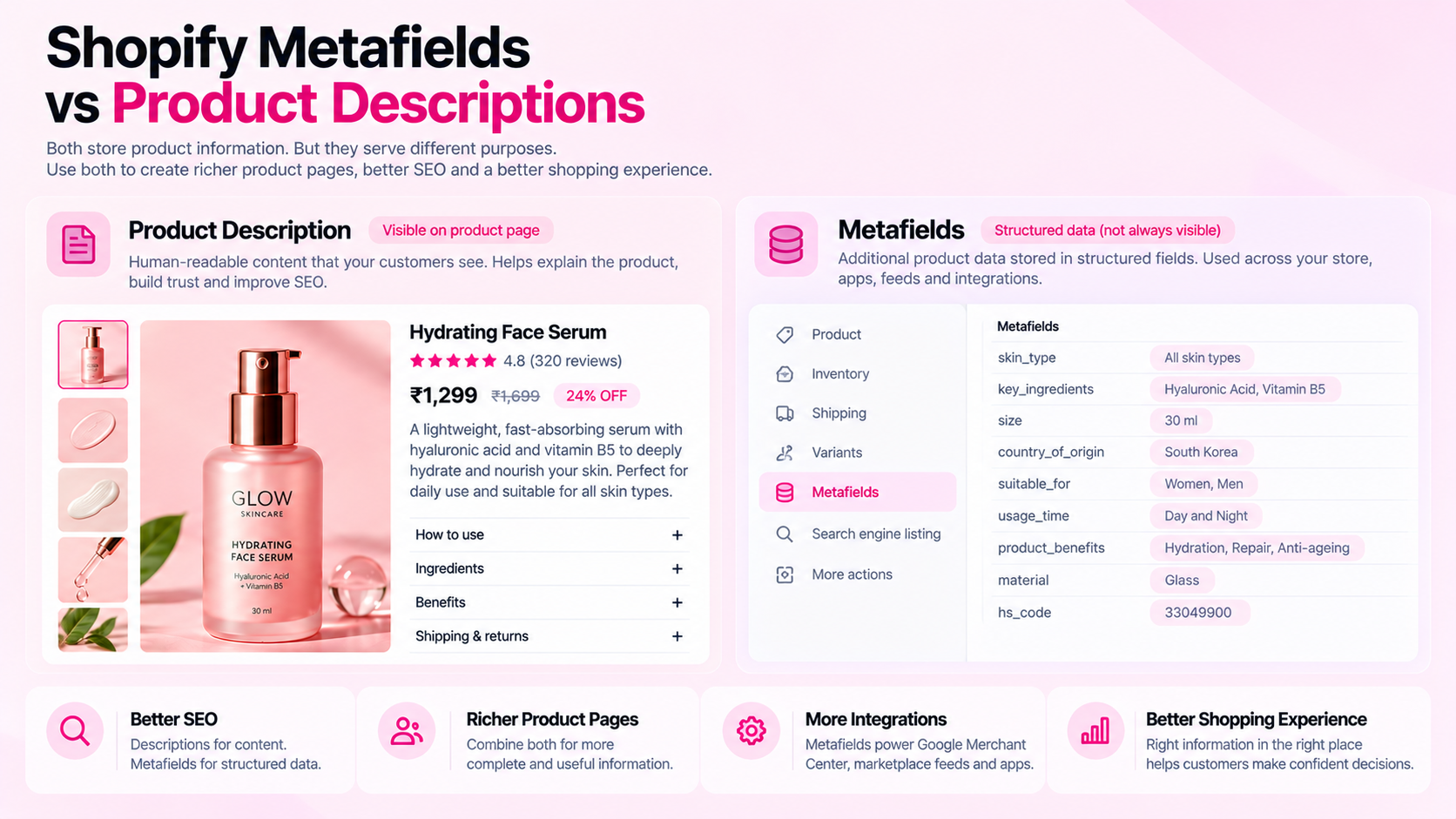
Metafields are a way to attach additional structured data to Shopify resources — products, variants, collections, customers, and orders. A metafield has a namespace, a key, a type (text, number, boolean, reference, etc.), and a value.
The usefulness of a metafield depends on:
- Whether it has a clear, consistently defined type and schema
- Whether it is used consistently across products that need it
- Whether the theme or an app is rendering it on the storefront
A metafield that exists in Shopify Admin but is never displayed to shoppers has limited value. A metafield that appears in a well-designed product spec table on the storefront is genuinely useful.
When to Use Product Descriptions
Product descriptions are best for:
- Explanatory content: Why this material? What makes this design different? Who is this product for?
- Use cases and context: "Designed for all-day wear in humid climates" tells shoppers something useful that a material metafield alone doesn't convey
- Care and usage instructions: Instructions that require paragraph-level context rather than a single value
- Benefits-oriented copy: Narrative content that helps shoppers understand the value of a product
Descriptions are typically displayed in a single block on the product page. They're not well-suited for structured values that need to be filtered, compared, or consumed by external systems.
When to Use Metafields
Use metafields for attributes where consistency and structure matter:
| Attribute type | Why metafields work better |
|---|---|
| Material (e.g., "100% merino wool") | Can be filtered in collections, consistent across apparel |
| Dimensions (e.g., "12cm × 8cm × 3cm") | Can feed into comparison tables; consistent unit |
| Compatibility (e.g., "Fits iPhone 14 and 15") | Can be parsed by search or filtering apps |
| Certification (e.g., "FSC certified") | Consistent label useful in feeds and structured data |
| Care instructions (e.g., "Machine wash 30°C") | Structured; useful in feeds and comparison |
| Volume or weight | Numeric, unit-defined, needs consistency across products |
The advantage of metafields over burying specs in descriptions: when a value changes, you update it in one place. If you're storing "material: 100% cotton" in both the description body and a metafield, and the supplier changes the material, you'll have to find and update it in both places — which leads to inconsistency.
How to Avoid Inconsistency
The most common problem: the same specification exists in multiple places — as part of the description body, in a metafield, and in a variant title — with different values or formats.
To avoid this:
- Choose one source of truth per attribute: Either the description body or a metafield — not both
- Document the convention: Write down where each type of specification should live, and make sure everyone updating the catalog follows the same rule
- Review theme rendering: Confirm that the metafield is actually appearing on the storefront for shoppers, not just sitting in Shopify Admin
- Audit periodically: Check for products where the description and metafield contain contradictory values — this happens when one is updated without the other
Metafields, JSON-LD, and Feeds Are Different Things
This distinction is worth making explicit:
- Metafields: Structured data stored in Shopify Admin, optionally rendered on the storefront
- Visible page content: What shoppers actually see — descriptions, spec tables, variant labels
- JSON-LD (structured data): A machine-readable representation in the page's
<head>that communicates product information to search engines - Product feeds: A data export (CSV, XML, or API) used by platforms like Google Merchant Center or Meta Catalog
Metafields can be used as data sources for JSON-LD or feeds if the theme or integration is configured to use them. But populating a metafield does not automatically populate your structured data or feed. Each representation needs to be set up and validated independently.
Frequently Asked Questions
Do metafields automatically improve SEO? No. A metafield that isn't rendered on the storefront or used in structured data doesn't affect how a page appears in search. What helps is useful, accurate content that's visible to users and well-structured for machine parsing — metafields enable that when they're correctly implemented.
Should every specification be a metafield? Not necessarily. Simple text specs that only appear in the description body don't need a separate metafield. Use metafields when the attribute needs to be consistent across many products, filterable, or consumed by a downstream system.
Can metafields populate structured data? They can if the theme's JSON-LD implementation is designed to read from specific metafields. This must be explicitly configured and then validated using Google's Rich Results Test. Assume nothing is automatic.
What's the practical first step? Audit your current product pages and identify which specifications are duplicated between descriptions and metafields with inconsistent values. These are the most urgent — they actively mislead shoppers and downstream systems.
Related Articles
- Shopify Product Data Quality: 12 Errors That Accumulate as Your Catalog Grows
- How to Structure Product Attributes for Accurate Product Comparisons
- Shopify Product Feeds vs Your Storefront: Why Product Data Can Differ