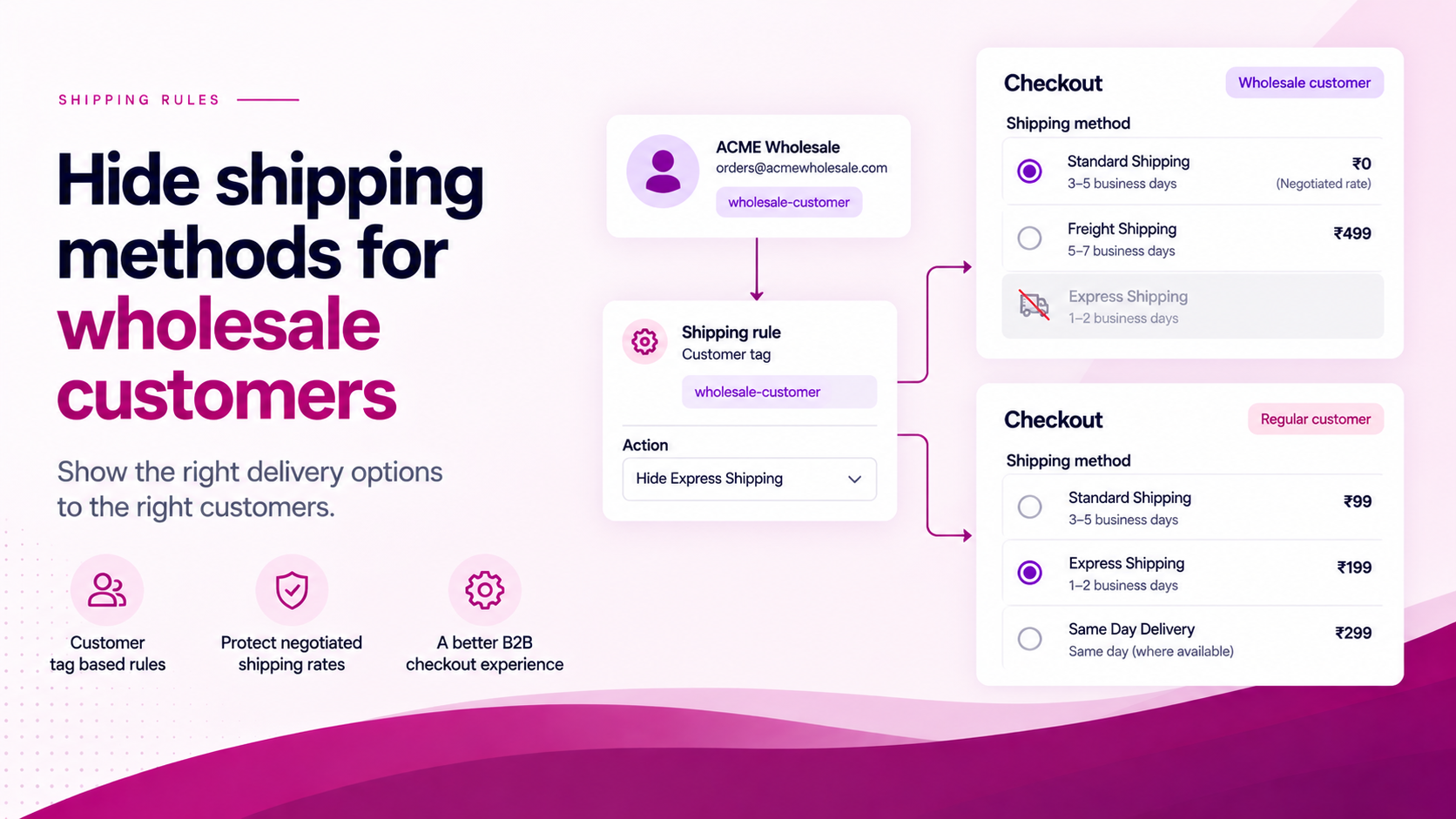
Wholesale customers often have different delivery economics from retail customers.
They may have negotiated carrier rates, pallet or bulk delivery requirements, different delivery windows, account-specific fulfilment arrangements or restrictions on express services. Showing every retail shipping option to a wholesale buyer creates unnecessary complexity and may surface rates that cannot actually serve the order.
Use Customer Status as the Trigger
A common Shopify wholesale workflow runs like this:
- Customer submits a wholesale application
- Merchant reviews and approves the account
- Merchant adds a customer tag — e.g.
approved-wholesale - Tagged customer gains access to wholesale pricing
- Checkout reflects the correct delivery options for that account
The tag represents the customer's business status. The exact tag name is chosen by the merchant. The important thing is consistency: use one tag name for this purpose and apply it deliberately.
What the Rule Can Do
A delivery customization rule in ShipSort can use buyer identity — including customer tags — to hide or reorder delivery options.
Example:
Approved wholesale customer → hide Express delivery → keep negotiated standard option only
The exact rule should reflect your carrier and fulfilment setup. If wholesale orders ship via pallet freight, retail express options may be genuinely irrelevant and worth hiding to reduce confusion.
If wholesale customers have access to a carrier or rate that retail customers do not, reordering can surface the preferred option first without removing retail visibility entirely.
Guests Are Different
A customer-tag rule depends on customer identity being available at checkout.
A guest does not have an approved wholesale tag to evaluate. If wholesale shipping is only available to approved customers, the broader workflow may need to require login — the tag check alone is not a guest-access gate.
Do not treat a shipping rule as the mechanism for restricting wholesale access. Use it to control delivery presentation for customers who are already identified and tagged.
Test with Two Accounts
Before activating the rule in production, run the same cart through two different accounts:
| Account type | Expected shipping options |
|---|---|
| Approved wholesale (tagged) | Wholesale-specific options shown; retail options hidden or reordered |
| Standard retail (no tag) | Normal retail options |
| Guest | Confirm behaviour — typically no tag restriction applied |
This quickly reveals whether the rule is working at the correct layer.
Document the Operating Process
A shipping rule is only as reliable as the customer-management process behind it. Define and document:
- Who adds the wholesale tag? — a specific team role, not anyone with admin access
- Who removes it? — what happens when an account is suspended, churned or transferred?
- What happens to in-progress orders? — if a tag is removed mid-session, does the checkout reflect that?
- What shipping option remains available? — is there always at least one valid option after the rule applies?
- What does the customer see? — if a method is hidden, is the remaining selection clear?
ShipSort can be used to build conditional delivery-option rules around customer tags and other checkout data without requiring custom development.
Related Articles
- How to Hide Shipping Rates by Customer Tag
- How to Create B2B-Only Checkout Rules Using Shopify Customer Tags
- How to Create Conditional Shipping Rules in Shopify