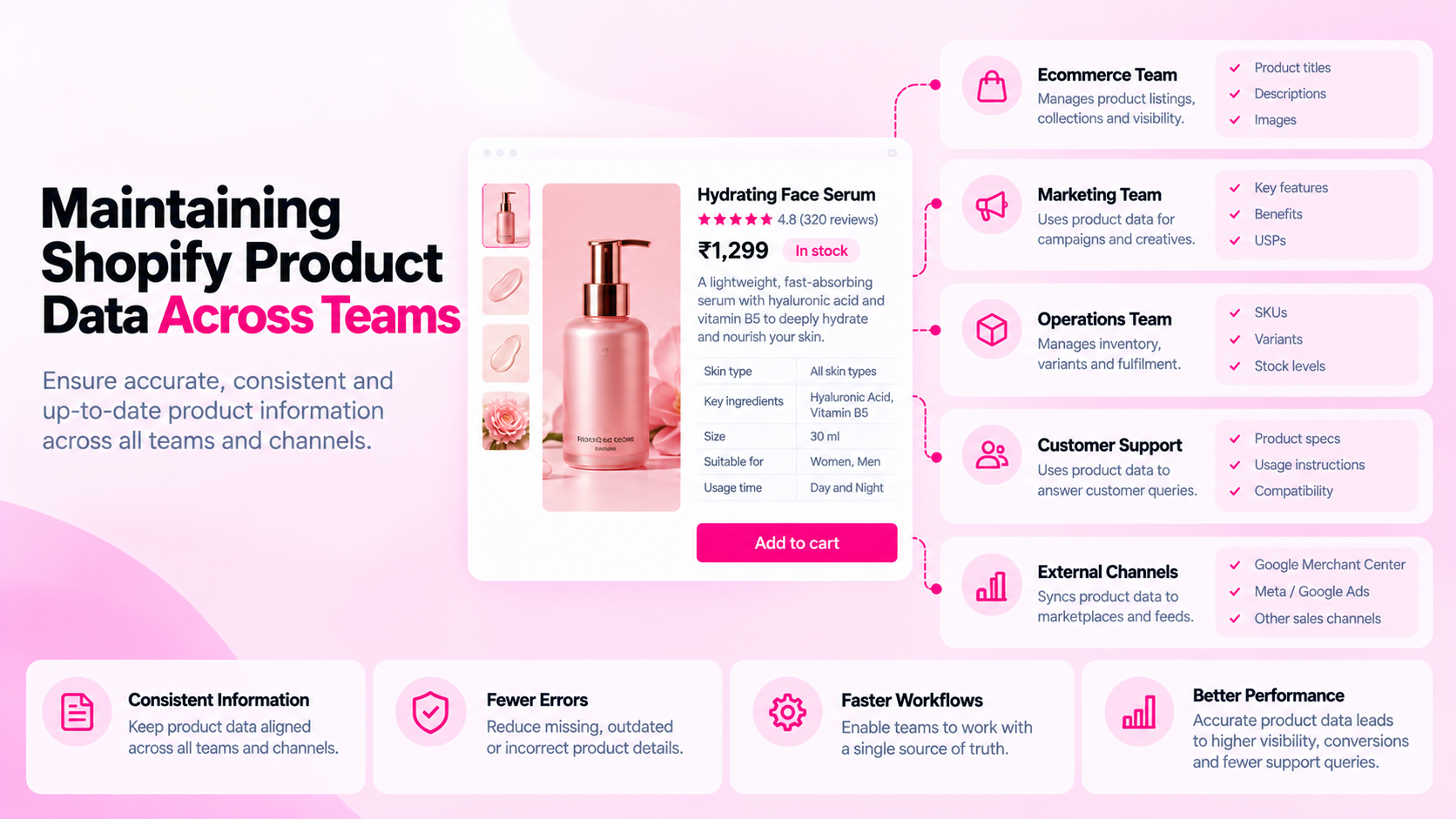
Quick Answer: How Do You Maintain Product Data Quality Across Teams?
Define required fields per product category, assign explicit field-level ownership across teams, document naming and formatting conventions, implement a pre-publish checklist, audit the catalog periodically, and verify data after any bulk change. Without defined ownership, the same field gets edited differently by different people — and quality degrades faster than it can be corrected.
Why Multi-Team Catalogs Degrade
A single person maintaining a small catalog can keep things consistent intuitively. When five or ten people from different teams have edit access, consistency requires deliberate structure.
Consider a typical Shopify catalog touched by:
- A merchandising team adding product specifications and pricing
- A content team writing product descriptions and alt text
- A marketing team updating SEO metadata for campaigns
- An operations team adjusting inventory and variant details
- An agency or freelancer handling product uploads during peak periods
Each team has different priorities, different writing styles, and different assumptions about what "complete" means. Without shared standards, the catalog accumulates inconsistencies — not through negligence, but through the absence of coordination.
Step 1: Define a Source of Truth for Each Field
Document where each type of product data originates and which team is responsible for it:
| Field | Owner | Source of truth |
|---|---|---|
| Product title | Merchandising | Supplier spec sheet + naming convention |
| Product description | Content team | Briefing template + content guidelines |
| SEO title / meta description | Marketing | SEO guidelines document |
| Technical specifications | Merchandising | Verified supplier data |
| Image alt text | Content team | Alt text guidelines |
| Metafields (material, dimensions) | Merchandising | Standardised attribute schema |
| Variant data (SKU, price) | Operations | ERP or inventory system |
| Structured data (JSON-LD) | Technical team | Theme / app configuration |
Without this table, "who owns the product title?" has no clear answer — and that gap is how inconsistency starts.
Step 2: Write a Product Data Style Guide
A style guide does not need to be long. It needs to answer the questions that cause inconsistency in practice:
Titles: What order should elements appear in? (e.g., Brand + Product Type + Key Attribute) What capitalization? Maximum length?
Descriptions: What must every description include? What is the tone? Are bullet points acceptable, or prose only? What claims require evidence?
Units: Centimetres or millimetres? Grams or kilograms? Decide and document.
Metafield values: Should material be "100% cotton" or "Cotton" or "cotton"? Controlled vocabulary or free text?
Alt text: Describe the visual subject. Do not repeat the title. Maximum 125 characters.
These decisions seem minor individually. Multiplied across hundreds of products and several team members, they determine whether the catalog is coherent or chaotic.
Step 3: Implement a Pre-Publish Checklist
Before any product goes live, require a checklist sign-off. The checklist should cover the minimum standard for each field category:
Content:
- Title follows naming convention
- Description includes all required specifications for the category
- Claims are accurate and supportable
Metadata:
- SEO title is present and distinct from the product title
- Meta description is specific to this product
Images:
- Main image is present and high quality
- Main image has alt text
- Gallery images have alt text where relevant
Technical:
- All required metafields are populated
- Variant details are accurate
- Page is accessible publicly
This checklist can be managed in a spreadsheet, a project management tool, or wherever the team already tracks product work.
Step 4: Use Audits as a Quality Signal, Not a Blame Tool
Periodic catalog audits surface gaps before they compound. Run a scan monthly or quarterly using CatalogAI — it flags missing fields, metadata inconsistencies, alt text gaps, and structured data problems across the entire catalog in one view.
Use audit findings to improve processes, not to assign fault. If 200 products are missing metafield values, the question is "what happened in the workflow that allowed this?" — not "who did this?" The answer usually reveals a gap in the onboarding process, the import template, or the checklist.
Step 5: Tighten Bulk Import and Integration Processes
Bulk imports are the most common source of systematic quality problems:
- Supplier feeds may omit fields required by your schema
- Import templates may not include all required columns
- Automated integrations may overwrite manually corrected data
For each bulk process, define what validation happens before the data enters Shopify. At minimum:
- Check for missing required fields
- Verify unit consistency
- Spot-check 10% of records after import
After any bulk import or integration run, schedule a targeted audit of the affected products before they go live.
Step 6: Manage Ownership During Team Changes
When a team member leaves or a new agency starts, knowledge about product data conventions often leaves with them. Prevent this by:
- Keeping the style guide in a shared, version-controlled document (not someone's personal notes)
- Including product data standards in onboarding materials for anyone with catalog access
- Reviewing and updating the style guide quarterly — standards should evolve as the catalog grows
How CatalogAI Helps Multi-Team Catalogs
CatalogAI gives teams a shared, objective view of catalog quality — not based on anyone's manual spot-check, but on a systematic scan across every product. When multiple teams update a Shopify store, CatalogAI provides the audit layer that keeps quality visible and actionable, without requiring any single team to inspect every product themselves.
Frequently Asked Questions
Who should own product data quality overall?
Someone needs to own the standard and the audit process — typically a catalogue manager, an ecommerce manager, or a head of merchandising. Individual field ownership is distributed, but someone needs to be accountable for the overall quality of the catalog.
How do we handle disagreements about standards?
Document the decision and the rationale. Having a written record of why a convention was chosen — even if it was an arbitrary choice — prevents the same discussion recurring every few months.
Should we restrict who has edit access to products?
Limiting access reduces the surface area for inconsistency but also slows down workflows. A better approach is clear standards plus a review step, rather than locking everyone out except one person.
How often should we audit the catalog?
Monthly for stores with frequent updates or large teams. Quarterly is sufficient for slower-moving catalogs. Always audit after a bulk import, a supplier change, or a platform migration.
Related Articles
- Shopify Product Data Quality: 12 Errors That Accumulate as Your Catalog Grows
- The Shopify Product SEO Audit Checklist: 25 Things to Check Before Launch
- The Hidden Cost of Incomplete Shopify Product Data