When a customer lands on your Shopify checkout page, every second and every detail counts. If there is friction, they abandon their cart.
One of the most overlooked areas of checkout optimization is shipping rates.
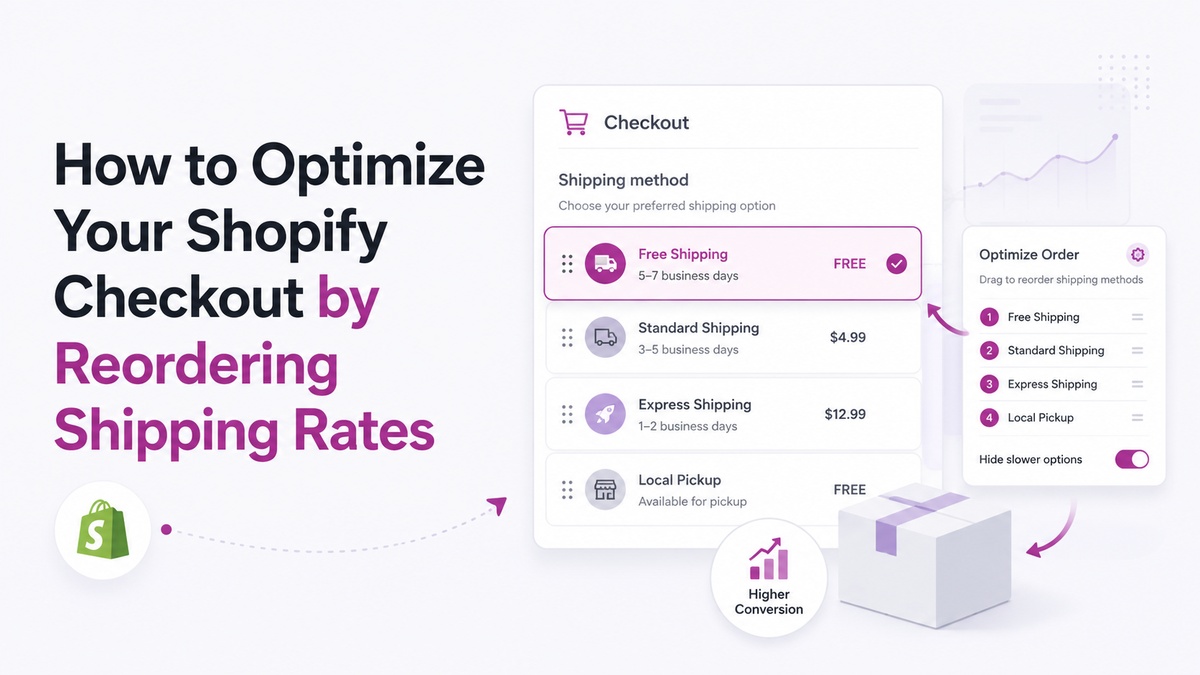
By default, Shopify does not let you choose the exact order in which shipping rates appear. They are sorted alphabetically or by price. This seemingly small detail can have a massive impact on your conversion rates and shipping margins.
Here is why shipping rate order matters, and how you can optimize it using ShipSort.
The Problem with Default Shipping Rate Sorting
When you connect multiple carriers or set up several shipping rates (e.g., Standard, Express, Courier, Free Shipping), Shopify displays them based on default logic.
This presents several challenges:
- VIP Customers See Clunky Options First: If a VIP customer qualifies for free expedited shipping, it might be buried at the bottom of the list beneath standard options.
- PO Box Deliveries Fail: Courier companies usually cannot deliver Express packages to PO boxes. If a PO box customer selects Express, it leads to delivery delays, customer support headaches, and refund fees.
- Alphabetical Chaos: A rate titled "Standard Shipping" might appear below "Express Shipping", leading users to mistakenly select the more expensive option, or vice versa, causing checkout friction.
3 Strategies to Optimize Checkout Shipping Rates
To maximize conversion rates and keep fulfillment margins healthy, implement these three core tactics:
1. Drag-and-Drop Rates to Match Brand Priorities
Always put your most attractive shipping rate at the top. For example, if you offer Free Shipping on orders over $50, make sure "Free Shipping" is the very first option the customer sees. It acts as an immediate positive reinforcement, making them complete the purchase.
2. Hide Express for PO Boxes
Build a rule that checks the customer's address. If the address field contains "PO Box" or "P.O. Box", hide courier-only express methods. This forces the customer to choose standard postal service options that can actually deliver to PO boxes.
3. Branded Rename for Local Trust
Rename default carrier rates (like "USPS Ground Advantage") to friendly, branded options (like "Eco-Friendly Standard Delivery"). Branded names feel premium and increase customer confidence.
How to Set It Up Natively on Shopify
With ShipSort, you can easily configure all of these strategies in minutes:
- Visual Control: Drag and drop rate options within a clean dashboard to dictate checkout order.
- Rule Builder: Select variables (cart subtotal, customer tags, or address keywords) to hide, move, or rename options dynamically.
- Zero Theme Edits: ShipSort runs on Shopify Functions, meaning it works securely, lightning-fast, and natively within the Shopify checkout engine without adding code.