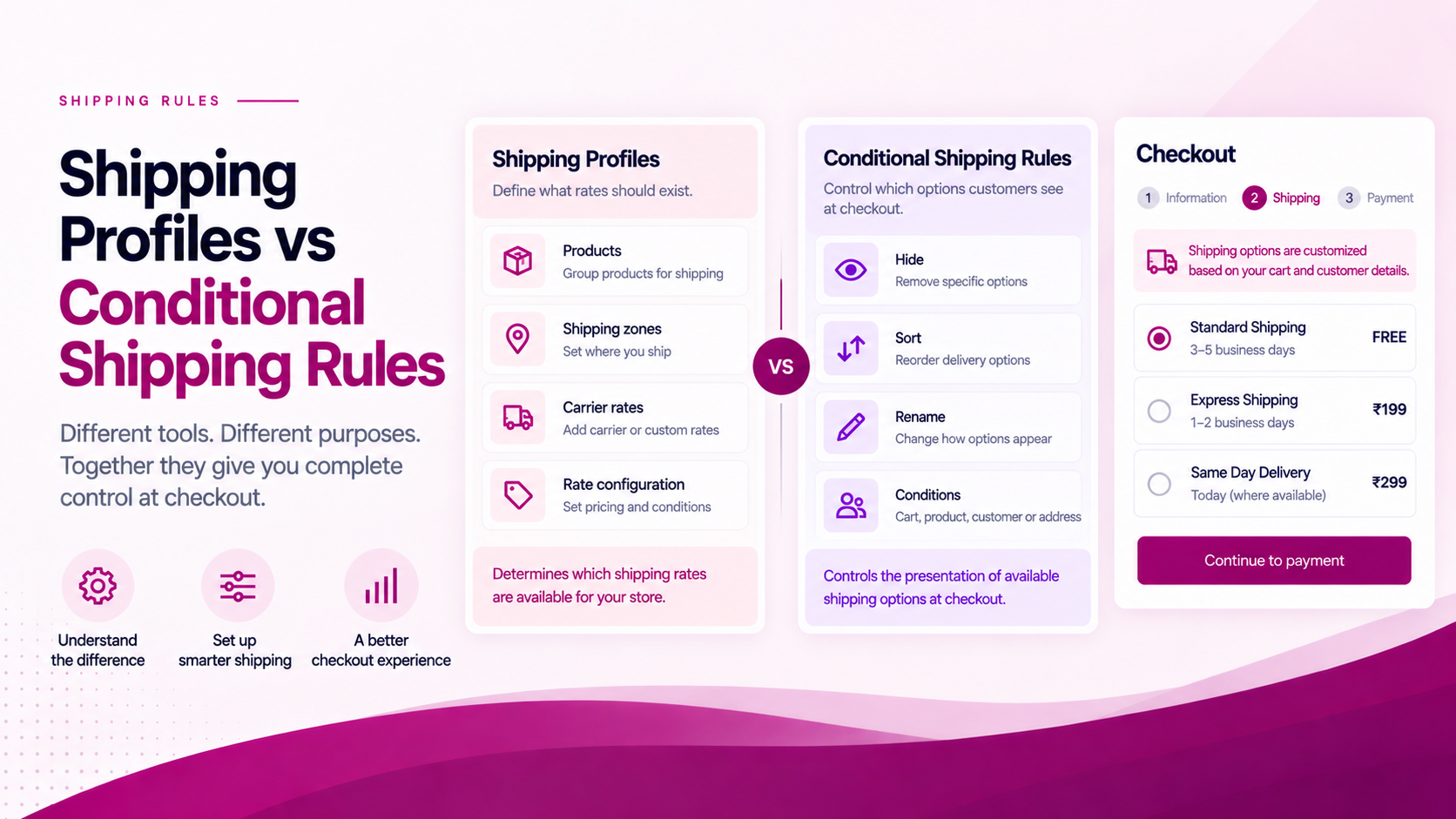
Shipping profiles and conditional delivery rules solve different problems.
Confusing them leads to an unnecessarily complex shipping setup — merchants sometimes try to solve a presentation problem by rebuilding their rate configuration, or try to solve a rate problem with a checkout rule. Neither works well.
What a Shipping Profile Does
A shipping profile in Shopify determines how products are associated with shipping zones and rates.
It answers the question: "What rates should exist for this product and destination?"
Shipping profiles control:
- Which carrier services are available for a product
- What shipping zones a product can ship to
- What price is charged for each rate
- Which products share the same fulfilment rules
This is the underlying infrastructure layer.
What a Conditional Rule Does
A delivery customization rule operates on delivery options presented at checkout — after the shipping profile has determined what is available.
It answers the question: "Given these options, which should the customer see, and in what order?"
Shopify's Delivery Customization Function API supports hiding, sorting and renaming delivery options. This is the presentation layer.
A Practical Example
A merchant sells:
- Standard apparel (lightweight)
- Oversized furniture (freight-required)
The shipping profile determines the underlying rates and zones for each product type. Furniture may have a dedicated freight rate; apparel may have access to standard and express carrier services.
A conditional rule might then hide the express option when the cart contains oversized furniture — because express delivery genuinely cannot fulfil a freight item.
The two layers work together. The profile establishes what is possible; the rule controls what is presented.
When to Change the Shipping Profile
Reach for profile configuration when:
- The underlying rate is wrong — the price, zone or carrier service needs to change
- A product belongs to a different shipping zone — fulfilment origin or destination rules have changed
- A new carrier or rate needs to be added — a new service should become available to customers
- The shipping price itself needs to change — the cost the customer pays is incorrect
When to Use Delivery Customization
Reach for a delivery customization rule when:
- A method should be hidden — an eligible rate should not appear for a specific cart state
- A method should be reordered — the sequence of options needs to match a business priority
- A delivery option name should change — the carrier label is not customer-friendly
- A condition should affect which options appear — address, product, cart value or customer status should filter the list
Don't Solve Every Shipping Problem with an App
First identify the layer.
If the underlying rate is wrong — wrong price, wrong carrier, wrong zone — fix the shipping profile. An app cannot fix a misconfigured rate.
If the rate is correct but the checkout presentation needs rules, delivery customization may be the right fit. That is where ShipSort operates.
Keeping those two layers distinct makes the overall shipping stack easier to maintain and easier to troubleshoot when something behaves unexpectedly.
Related Articles
- Shopify Shipping Rate Customization: What Merchants Can Control
- How to Create Conditional Shipping Rules in Shopify
- How to Show Shipping Options Based on Cart Value