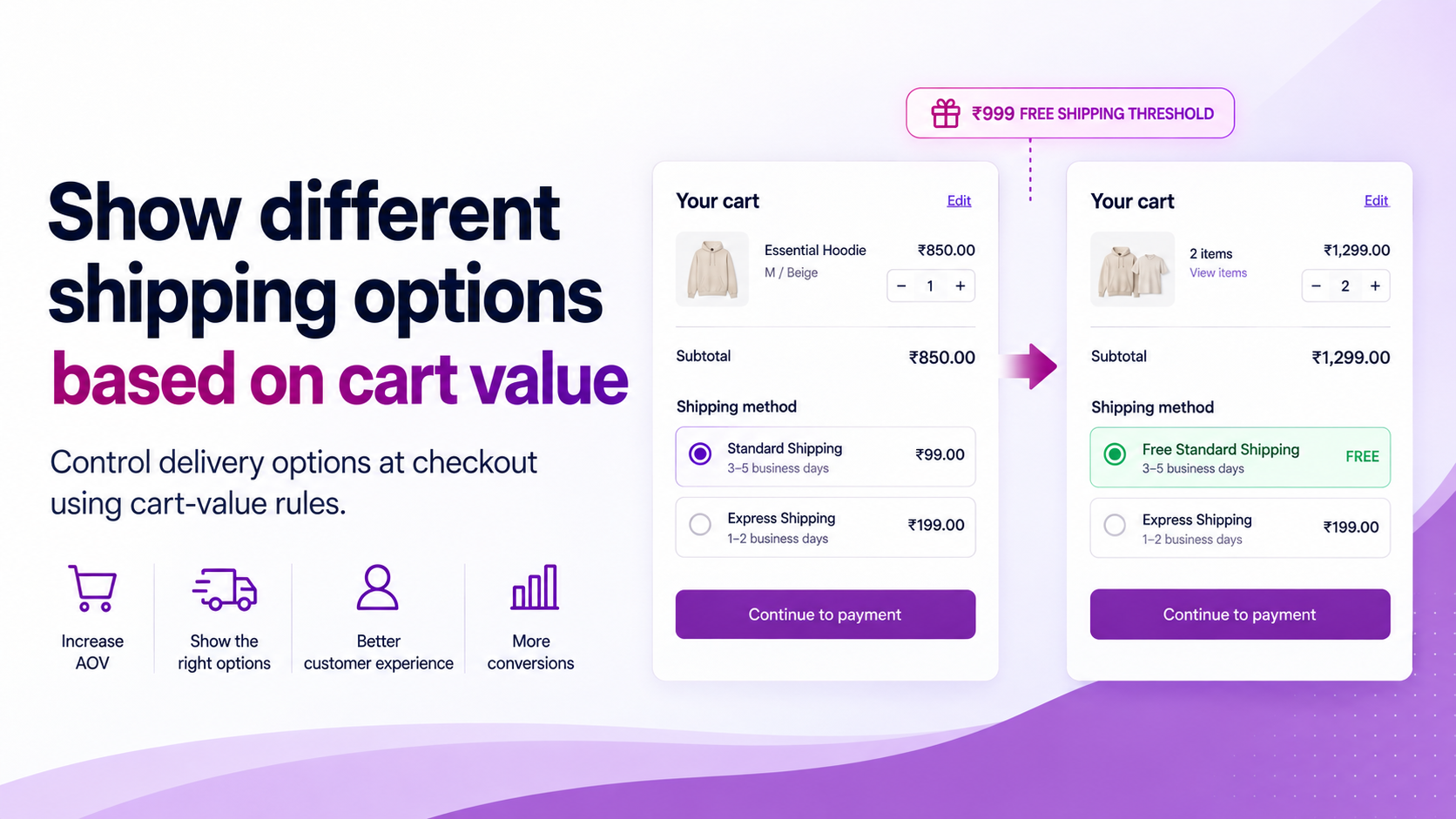
Not every cart needs to see the same shipping options.
A ₹500 cart and a ₹5,000 cart can have very different shipping economics. A merchant may want to show free shipping above a threshold, hide a premium option for low-value carts, or change the order in which delivery choices appear when the cart reaches a certain value.
Why Cart Value Matters for Shipping
Shipping is part of the purchase decision. If a customer is ₹100 away from a free-shipping threshold, the checkout experience can reinforce that incentive. If a very low-value cart is shown multiple expensive delivery options, the customer may face unnecessary choice and cost.
The rule should start with economics — not with the checkout configuration.
Define the Threshold First
Before building any rule, write out the business logic in plain terms. For example:
- Below ₹999 → standard paid shipping only
- ₹999 and above → free standard shipping appears
- ₹1,999 and above → premium delivery option becomes visible
These are examples only. The correct threshold depends on your:
- AOV — where your typical cart already sits
- Product margin — how much room you have to absorb shipping costs
- Shipping cost — the actual carrier cost at each tier
- Fulfilment cost — warehouse handling included
- Return behaviour — higher-value carts may carry different return risk
- Customer expectations — what your segment considers a fair shipping offer
Set the threshold based on these inputs, not on what looks like a round number.
How the Logic Works
Shopify's Delivery Customization Function API is designed to rename, sort and hide delivery options at checkout. Shopify documents use cases including hiding delivery options for certain products or customers and reordering delivery options.
A ShipSort rule can therefore use cart conditions to control which delivery options are presented at checkout. The underlying carrier or shipping-rate configuration remains separate — the rule changes the presentation, not the rates themselves.
Test the Boundary
If the threshold is ₹999, the most important tests are at the boundary:
| Cart value | Expected result |
|---|---|
| ₹998 | Free shipping hidden, paid option shown |
| ₹999 | Free shipping visible |
| ₹1,000 | Free shipping visible |
Then test beyond the boundary:
- Discount applied — does a discounted cart that crosses the threshold still trigger the rule?
- Mixed products — multiple items from different collections
- Multiple delivery groups — if your setup uses split fulfilment
- Logged-in customer — confirm customer-context does not affect the rule
- Guest customer — confirm the same behaviour without login
Boundary testing matters because a rule that works at ₹1,500 can still behave incorrectly at the exact threshold.
Use Thresholds as an AOV Lever
Suppose your current AOV is ₹850 and free shipping starts at ₹999. Customers who are already close to the threshold may add another item to qualify — this is a well-documented conversion behaviour.
But the threshold should not be selected only to increase AOV. It must still protect contribution margin. If free shipping costs more than the incremental revenue it generates, the rule is working against the business.
Referbro's Free Shipping Threshold Analyser evaluates profitability, the nudge zone and revenue opportunity so the threshold can be treated as an economic decision, not just a conversion tactic.
Related Articles
- How to Create Conditional Shipping Rules in Shopify
- How to Hide Shipping Methods by Address or Cart Conditions
- How to Reorder Shipping Methods in Shopify