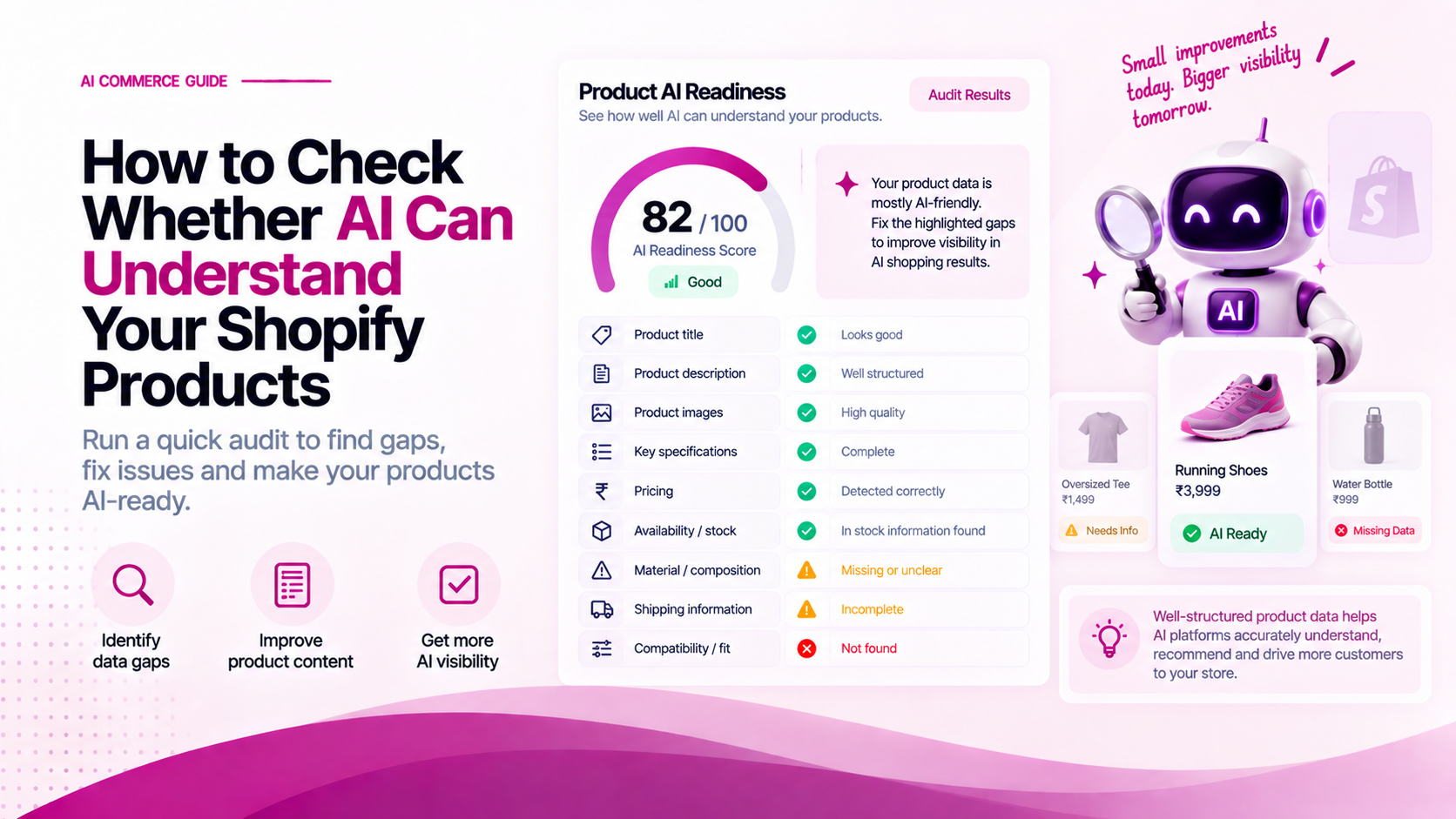
Before optimizing your store for AI discovery, you need an accurate baseline:
Can an AI system parse your product pages and answer critical buyer questions without guessing or hallucinating missing facts?
You do not need specialized software to perform a preliminary audit. By following a structured audit protocol, you can score your product data, uncover missing attributes, and identify data discrepancies across sales channels.
The 5-Step AI Catalog Audit Framework
Catalog Audit Workflow
├── Step 1: Select High-Value SKUs (Top 20 Revenue Drivers)
├── Step 2: Run the 10-Point Diagnostic Questionnaire
├── Step 3: Score Attribute Quality (Explicit vs. Inferred vs. Missing)
├── Step 4: Audit Cross-Channel Data Consistency (Shopify vs. Feeds)
└── Step 5: Implement Remediation & Structured Metafields
Step 1: Select Your Audit Sample
Do not attempt to audit your entire catalog at once. Select a representative sample of 20 SKUs across the following categories:
- Top 5 Revenue Drivers: Your best-selling products that generate the highest traffic.
- Top 5 High-Margin SKUs: Products where higher conversion significantly impacts profitability.
- Top 5 High-Return SKUs: Items with elevated return rates (often caused by ambiguous sizing, material, or fit details).
- Top 5 Multi-Variant SKUs: Products with complex size, color, or bundle option matrices.
Step 2: The 10-Point Diagnostic Questionnaire
For each selected SKU, evaluate whether the product page and structured data provide explicit, unambiguous answers to these ten questions:
| # | Diagnostic Question | Explicit | Inferred | Missing |
|---|---|---|---|---|
| 1 | What exact product category and sub-category is this item? | [ ] | [ ] | [ ] |
| 2 | Who is the intended target audience (gender, age, fit)? | [ ] | [ ] | [ ] |
| 3 | What are the primary materials, ingredients, or components? | [ ] | [ ] | [ ] |
| 4 | What are the exact physical dimensions, weight, or volume? | [ ] | [ ] | [ ] |
| 5 | What specific problem, activity, or use case is this for? | [ ] | [ ] | [ ] |
| 6 | Are all variants (sizes/colors) explicitly named with active SKUs? | [ ] | [ ] | [ ] |
| 7 | Are explicit care, maintenance, or usage instructions listed? | [ ] | [ ] | [ ] |
| 8 | Are compatibility requirements or negative constraints stated? | [ ] | [ ] | [ ] |
| 9 | Are shipping costs, delivery times, and return windows clear? | [ ] | [ ] | [ ] |
| 10 | Is structured aggregate rating data (reviews) present in schema? | [ ] | [ ] | [ ] |
Step 3: Score Your Catalog Readiness
Score each question based on how the data is presented:
- Explicit (2 points): The fact is stored in a structured field, metafield, HTML table, or JSON-LD schema.
- Inferred (1 point): The fact can be guessed from marketing copy, but is not explicitly defined (e.g. text says "lightweight feel" but no weight in grams is listed).
- Missing (0 points): The information is absent from the page and metadata.
Catalog Readiness Matrix:
Total Score Calculation (Max 20 Points per SKU):

Score 18–20: AI-Ready Tier 1
├── Machine Readability: High
└── Risk of Hallucination: Minimal

Score 12–17: Partial Readiness Tier 2
├── Machine Readability: Moderate (Requires inference)
└── Action: Move key attributes from body text into structured metafields

Score 0–11: Critical Data Deficit Tier 3
├── Machine Readability: Low
└── Action: Product will likely be excluded from intent-matched AI recommendations
Step 4: Audit Cross-Channel Consistency
Data discrepancies between your Shopify Admin, web pages, and external feeds confuse AI recommendation engines.
Check consistency across these four data touchpoints:
Shopify Admin Data (Source of Truth)
  ├── 1. Store PDP HTML & JSON-LD Schema
  ├── 2. Google Merchant Center Feed
  ├── 3. Meta / Social Product Catalog
  └── 4. Marketplace API Feeds (Amazon / Retail Partners)
Common Data Discrepancy Red Flags:
- Price Mismatch: PDP shows ₹1,499, but structured JSON-LD schema outputs ₹1,999.
- Stock Discrepancy: Variant shown as In Stock on page, but feed outputs
OutOfStock. - Title Inconsistency: Shopify title includes size/color, but feed truncates title at 30 characters.
Step 5: Implement Remediation & Metafields
Once gaps are identified:
- Create required custom fields in Shopify Admin > Settings > Custom Data > Products.
- Bulk update product metafields using CSV export/import or Shopify Matrixify.
- Validate product schema using the Google Rich Results Test (
search.google.com/test/rich-results).
Future Free Tool: Referbro AI Commerce Audit
To streamline this process, Referbro is developing a free automated tool:
AI Commerce Readiness Audit
- Input: Enter your Shopify store URL.
- Analysis: Automatically parses JSON-LD schema, taxonomy tags, HTML tables, and variant availability.
- Output: Instant SKU readiness score, attribute gap analysis, and one-click Shopify Admin fix recommendations.
Related Articles
- How to Make a Shopify Product Catalog AI-Ready
- What Product Data Do AI Shopping Agents Need?
- How to Measure Your Brand's Visibility in AI Shopping Results